The adult athlete chooses.
From their own area, view the available courses and send a registration request.
 SHINRADIGITALLet’s talk
SOFTWARE, PEOPLE, POSSIBILITIES.
The sports club. Your business. The next project.
Practical tools, designed for those who use them every day.
Real interfaces. Demo data. A path to explore.
People, registrations and season.
02 / BUSINESSES AND PROFESSIONALSShinra Business↗Customers, site and documents.
03 / TAILOR-MADE PROJECTSShinra Custom↗From your process to the solution.

Kitsune · Let me show you the wayHere you can see the products, the real screens and the videos. Scroll, or choose Sport or Business.
01 / SHINRA SPORT
Management software for the club office,
instructors, families and athletes.
Each with their own access.
Kitsune · A single entry point: MembersList, Registrations and documents, and Imports are three subsections of the same entry point. Choose the step to explore.
FROM REGISTRATION TO THE SEASON
Kitsune · A single entry point: MembersList, Registrations and documents, and Imports are three subsections of the same entry point. Choose the step to explore.
Kitsune · A single entry point: MembersList, Registrations and documents, and Imports are three subsections of the same entry point. Choose the step to explore.
From their own area, view the available courses and send a registration request.
Checks the request, handles the registration and prepares the fees due.
Personal area, information, documents and fees. Online card payments when the club’s Stripe account is enabled.
The organisational base is shared. Vocabulary, categories and technical features are checked with the club. This presentation claims no automatic federation integration or approval.
02 / SHINRA BUSINESS
For businesses and professionals who want to
keep customers, sales, site
and documents together, choosing their own modules.
Kitsune · A customer, their contextRecords, orders, documents and conversations are linked together. The site and the catalogue are updated from the CMS.
RELATIONSHIPS
Records, orders, documents and conversations, all linked. Matches to check stay visible.
The site updates from the CMS.
Content, pages and catalogue in the management software.
Work follows your modules.
Configuration and scope defined around your business’s needs.
WATCH. THEN DIG DEEPER.
The product in action.
A path to explore
and watch again after the meeting.
Kitsune · The product in actionThe Sport video shows the current design with MarcoTrox’s voice and subtitles. Turn on audio in the player; I keep guiding you with the speech bubbles.
THE PRODUCT
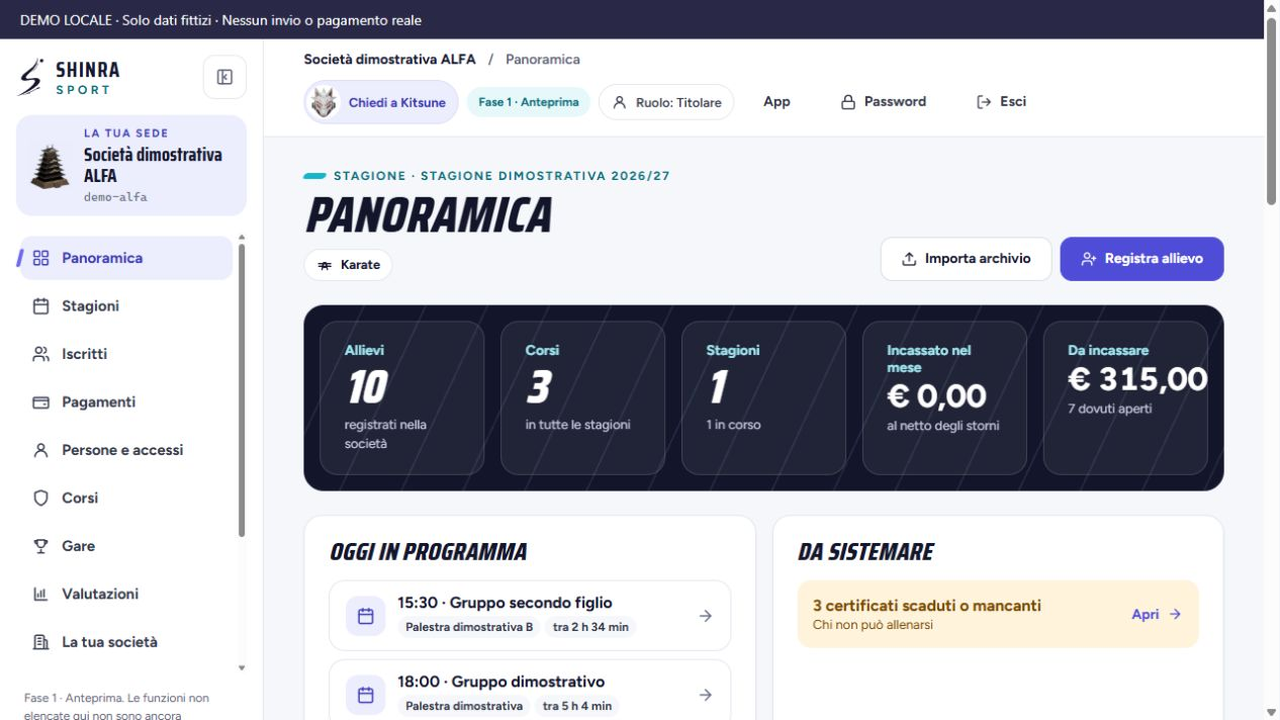
The real, updated interface: Members with List, Registrations and documents, and Imports; then courses, fees and family area.
MarcoTrox voice, fictitious data and Italian subtitles. Turn on audio in the player to hear the explanation.
01 / THE PEOPLE
Gabriele Sanna, Shinra and the tools taking shape.
Animated presentation without audio.
02 / THE METHOD
Understand the process, build the path, support the release.
Animated presentation without audio.
03 / THE NEXT STEP
A product to launch or a project to build around a need.
Animated presentation without audio.
SHINRA CUSTOM / OUR WAY
Management software when you need organisation.
A tailor-made project when you need a different path.
Who uses it, what they need to do, which steps weigh them down.
Interfaces, logic and data follow the same path.
Configuration, delivery and support defined before starting.
FROM THE SCREEN TO YOUR WORK.
Kitsune · Let’s bring it into your workA demo is for checking your path. Tell us about your situation: we start from clear features and scope.
One demo. One concrete need.
We define the next step together.